Never miss a biometrics, medical or document deadline.
Record what IRCC asks for and when it's due. ImmPort lists what's due for your team and shows the client their status in their portal.
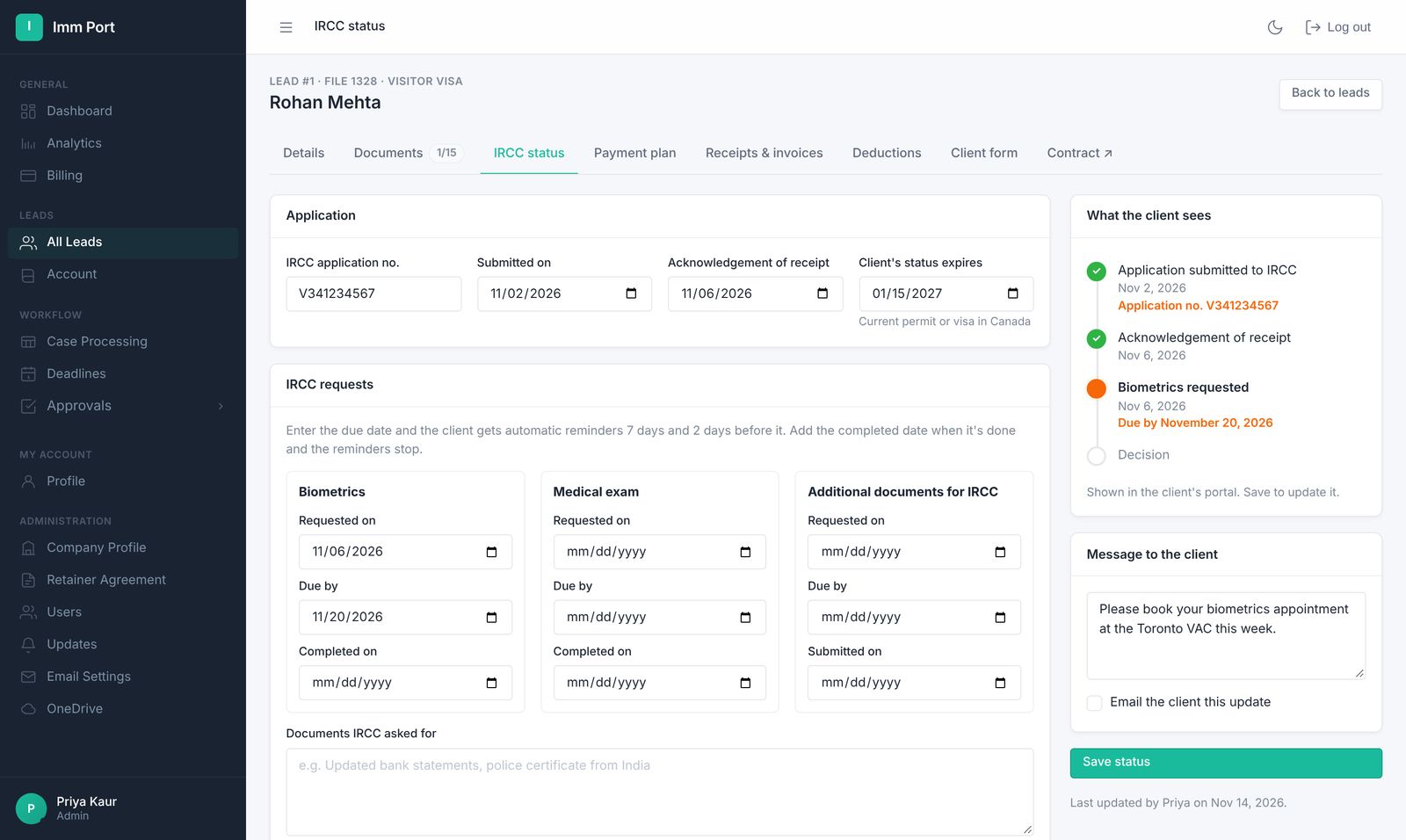
Record it once. See it everywhere.
- Enter IRCC's dates
Submission, acknowledgement, biometrics, medicals, document requests and the decision.
- Clients see their status
Their portal shows where the application stands and what IRCC has asked for.
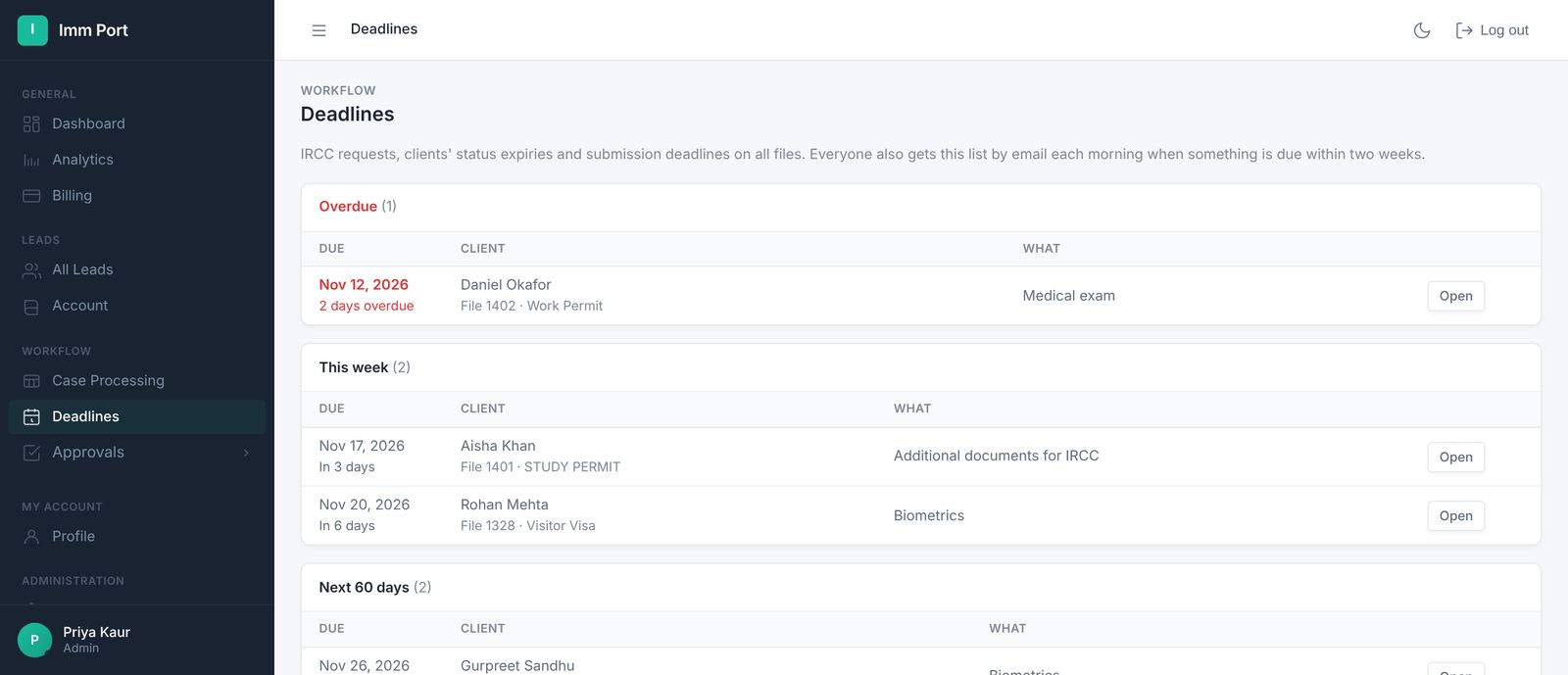
- Your team sees what's due
The Deadlines page lists overdue items, this week and status expiries.
Everything due, across every file.
Overdue items first, then this week, then what's coming up.
- Biometrics, medicals and document requests
- A Deadlines page for the whole team
- A follow-up task when you log a new IRCC letter
Common questions
Does ImmPort connect to IRCC?
No. Your team enters the dates from IRCC's letters and the online account. ImmPort tracks them and lists what's due.
Are clients emailed about deadlines?
No. Clients get one email with their portal link, and see their IRCC status and requests there.
Everything else your firm runs on.
One link for the retainer, info form, invoices, receipts, documents and status.
Learn more →Retainer agreementsRetainers signed onlineYour wording, filled in automatically, signed by the client and saved to their folder.
Learn more →Invoices & receiptsInvoices with the right taxGST, HST, QST or PST by province, sent on their dates, receipts numbered to match.
Learn more →Run your next file in ImmPort.
Start with a 14-day free trial. No card needed. We approve new firms within one business day.
Screenshots show example data