Every file runs the same way, whoever is working on it.
Retainer staff enter leads, admins approve them, filing staff prepare the application. Each person sees their own files, and ImmPort moves the file on and sends the emails.
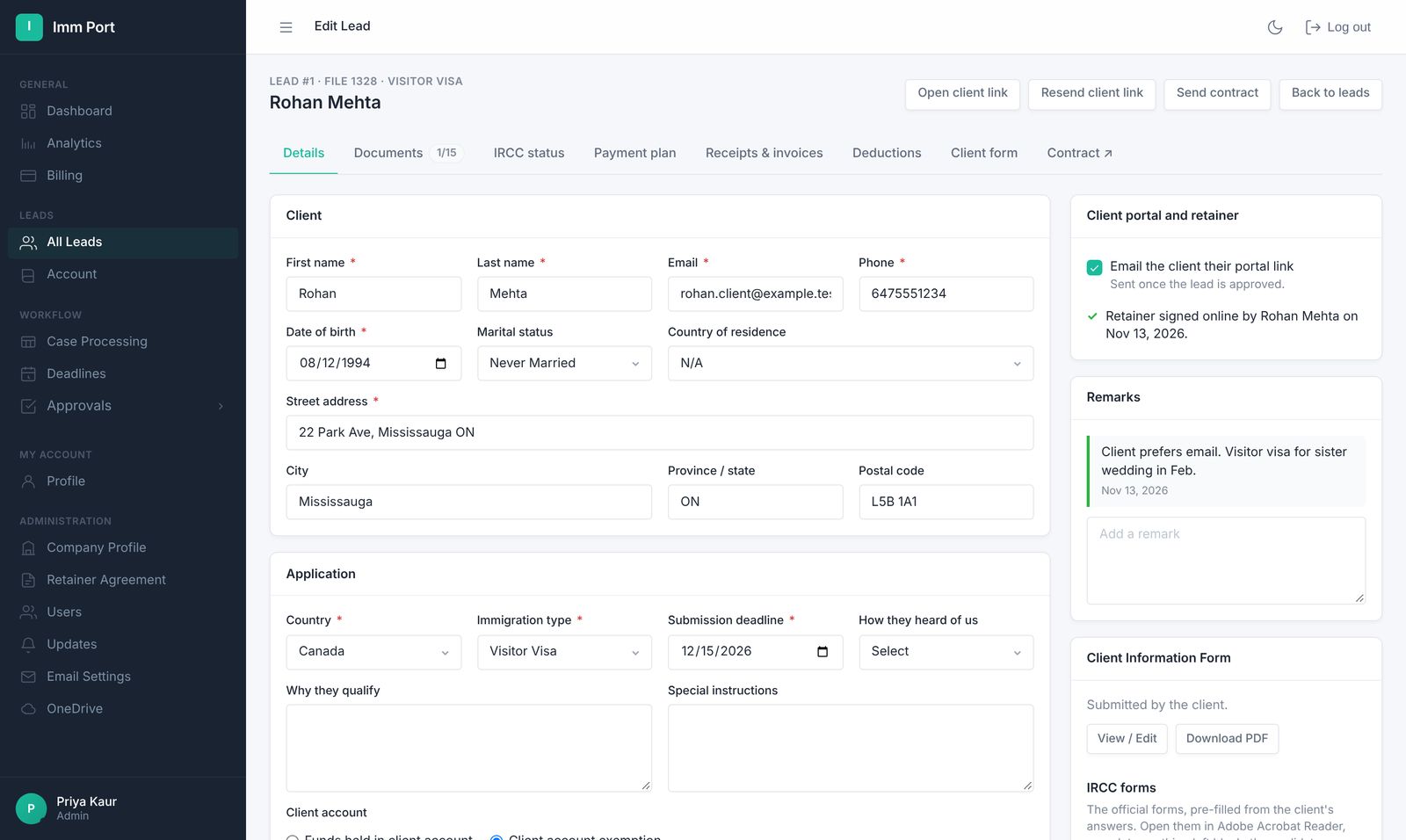
Clear hand-offs from first call to decision.
- Enter the lead
Client details, fees and payment plan on one short form.
- Approve
Or create and approve in one step. The file number is issued automatically.
- Work the file
Documents, forms, invoices and IRCC status, all on the lead's tabs.
The right access for each person.
Admins see everything. Retainer and filing staff see the files they work on.
- Approve, hold or reject leads, with an email to admins for each new one
- Create and approve in one step when you're the admin
- Document checklist by visa type on every file
Works with the accounts you already have.
Your files and your emails stay under your firm's name.
- One OneDrive folder per file, named with the file number and client name
- Client emails from your own Gmail, Google Workspace, Outlook or Microsoft 365
- Download all of your firm's data whenever you want
A second pair of eyes on every file.
On each file's AI assist tab. Every result is a draft for you to check.
- Read a refusal letter or GCMS notes: grounds, the officer's concerns, evidence gaps and possible next steps
- Check a document against the file: right document, matching name and date of birth, expiry, translation, legibility
- Draft a letter of explanation from the facts you give, ready to edit and download on your letterhead
Employer clients and the letters you send every week.
Keep employer work and routine correspondence inside the file.
- Employers: each LMIA from advertising to decision, with the workers hired under it
- Letter templates on your letterhead, filled in from the client's file
- Import past payments when you move from another system
Common questions
How are team members charged?
Each plan includes one admin. Every extra active team member is $10 CAD a month, and they're free during the trial.
Can emails come from our own address?
Yes. Connect Gmail, Google Workspace, Outlook or Microsoft 365 and clients see your firm's address.
Everything else your firm runs on.
One link for the retainer, info form, invoices, receipts, documents and status.
Learn more →Retainer agreementsRetainers signed onlineYour wording, filled in automatically, signed by the client and saved to their folder.
Learn more →Invoices & receiptsInvoices with the right taxGST, HST, QST or PST by province, sent on their dates, receipts numbered to match.
Learn more →Run your next file in ImmPort.
Start with a 14-day free trial. No card needed. We approve new firms within one business day.
Screenshots show example data