Invoices that get the tax right and send themselves.
Enter the fees and payment plan once, when you create the lead. ImmPort works out the tax for your province, emails each invoice on its date and numbers receipts to match.
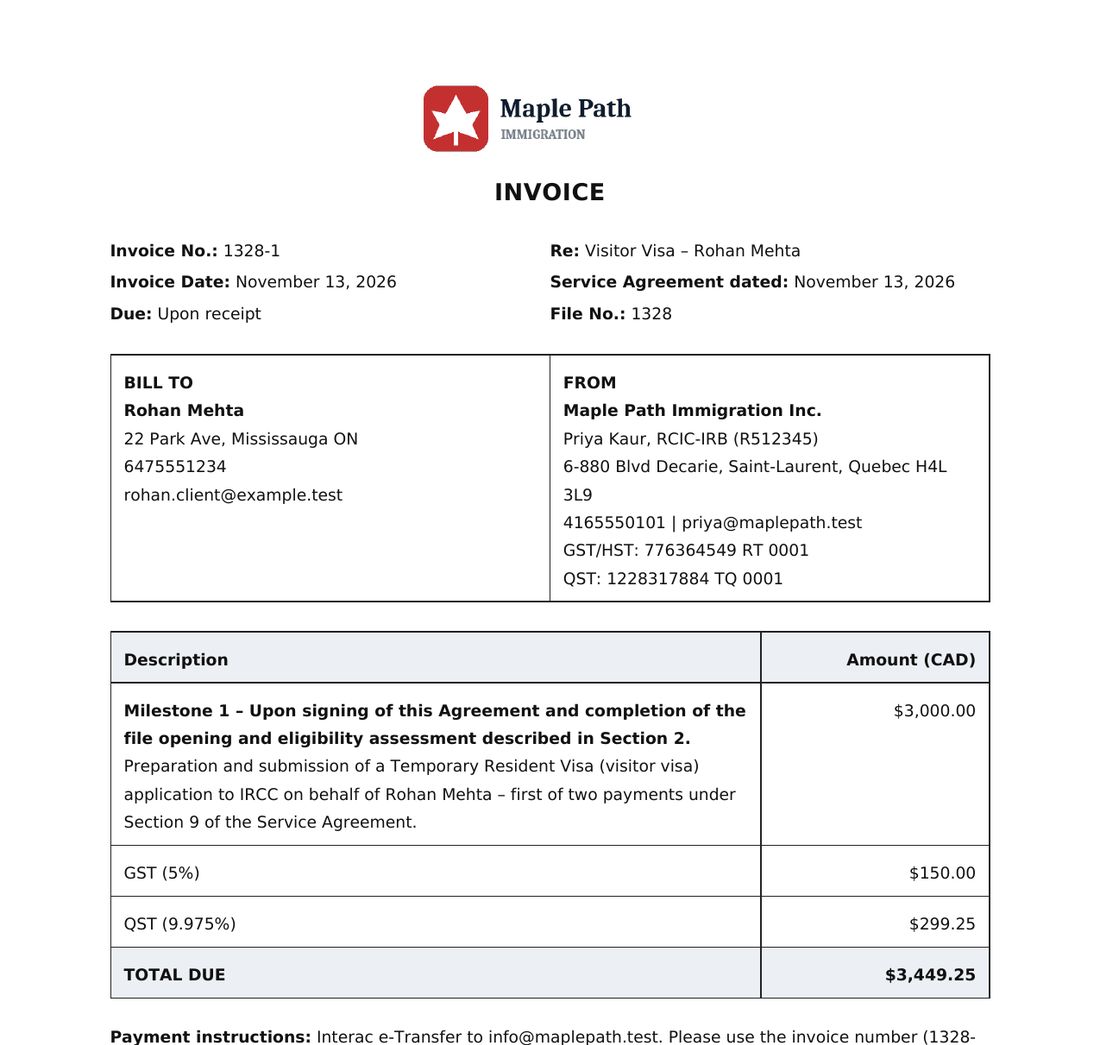
Set the plan once. Invoices follow it.
- Enter the payment plan
Milestones, amounts and the date each invoice should go out.
- Invoices send on their dates
Each one is emailed to the client automatically that morning.
- Record payments
Receipts are numbered against the invoice they pay.
The right tax for your province.
Set your province and tax rate once in your company profile.
- GST, HST, QST and PST
- Tax added on top or already included in the fee
- Your logo, details and payment instructions on every invoice
Numbers that follow the file.
Invoices and receipts use the file number, so anyone can match them at a glance.
- Invoice 1328-1, 1328-2 for file 1328
- Receipt 1328-1PD for the payment on invoice 1328-1
- You and the retainer person get a daily list of invoices sent, to follow up
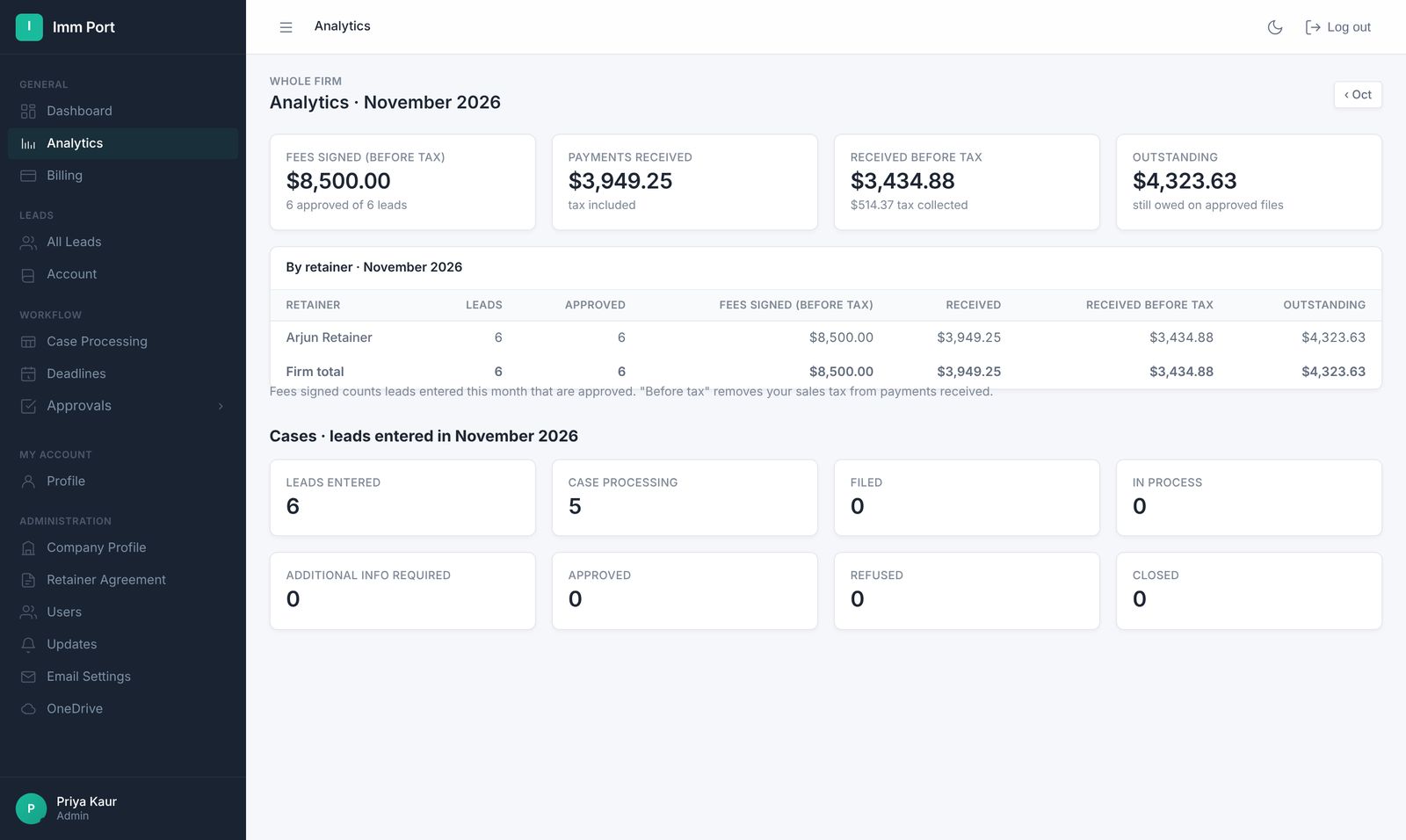
- A sales dashboard shows fees and payments by retainer
Clients pay online. Receipts appear on their own.
Connect your own Stripe account in your company profile. Invoices, invoice emails and the client portal get a Pay now button.
- Payments go straight to your Stripe account, not to ImmPort
- The receipt is added to the file automatically when the payment lands
- Clients can pay for a consultation when they book it
Know who owes what, and whose money you hold.
For admins: the money side of the practice on two pages.
- Outstanding: overdue balances grouped by 30, 60 and 90+ days, with a CSV
- Invoices and payments exported as a CSV for QuickBooks or Xero
- Trust ledger once you enter your trust account: a running balance per client, entries that can't be edited or deleted, and a balances report to reconcile
Common questions
Which taxes does ImmPort support?
GST, HST, QST and PST, based on the province and rate in your company profile. Tax can be added on top or included in the fee.
Are invoices sent automatically?
Yes. Each invoice in the payment plan is emailed to the client on its date. You get a summary of what was sent.
Can clients pay online?
Yes. Connect your own Stripe account and clients get a Pay now button on invoices and in their portal; the receipt is added to the file automatically. Your payment instructions also appear on every invoice.
Does ImmPort keep a trust ledger?
Yes. Enter your trust account in your company profile and each file gets a Trust tab with a running balance, plus a firm-wide balances report.
Everything else your firm runs on.
One link for the retainer, info form, invoices, receipts, documents and status.
Learn more →Retainer agreementsRetainers signed onlineYour wording, filled in automatically, signed by the client and saved to their folder.
Learn more →IRCC formsIRCC forms, prefilledThe client's answers fill 15 IRCC forms, saved as drafts for you to review.
Learn more →Run your next file in ImmPort.
Start with a 14-day free trial. No card needed. We approve new firms within one business day.
Screenshots show example data