One link for everything your client needs to do.
After you approve a file, your client gets one email with a button for each step. They sign, fill in, upload and check their status from their phone, and you stop chasing.
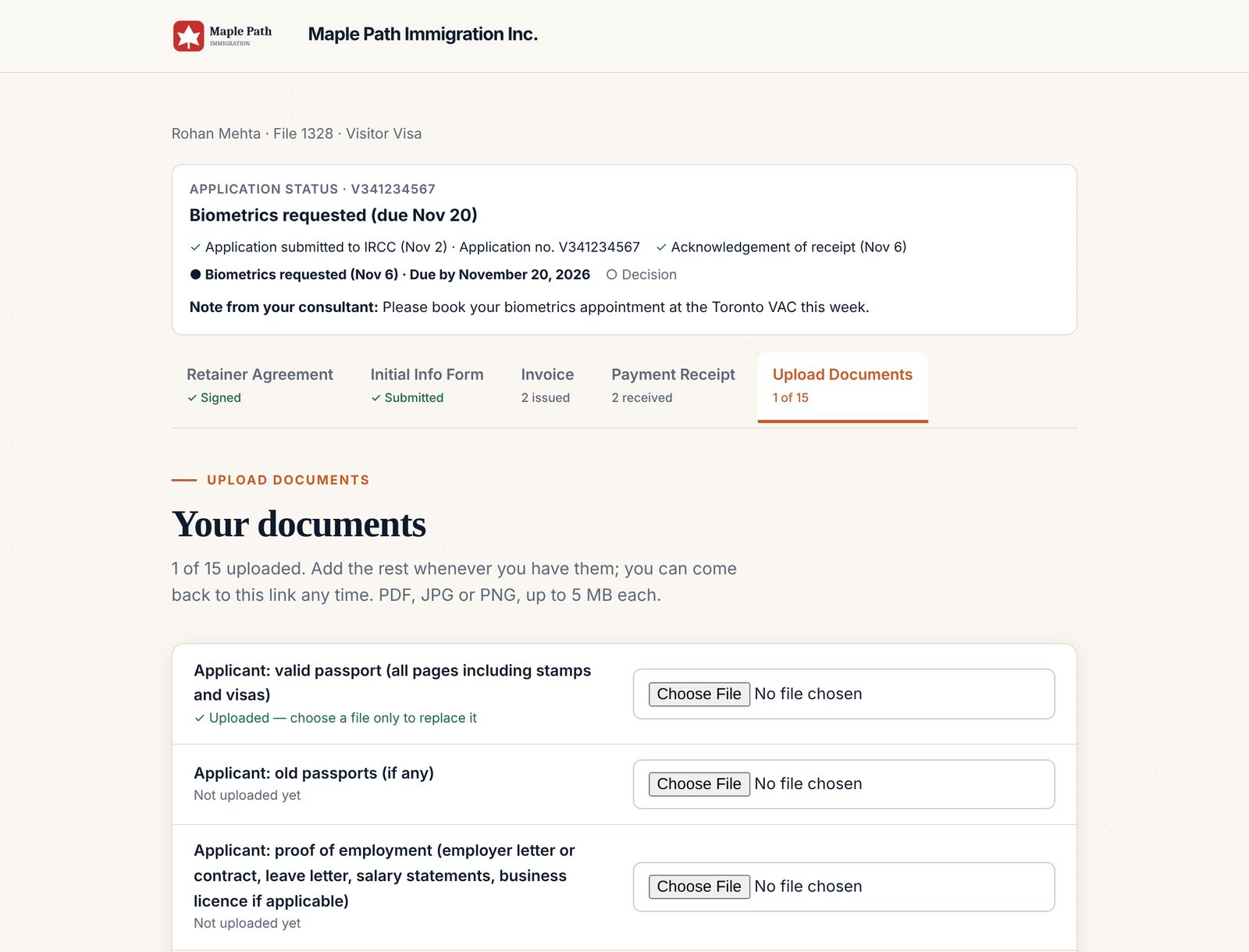
Approve the file, and the client takes it from there.
- You approve the lead
The file gets its number and the client is emailed their portal link.
- The client does their part
Signs the retainer, fills in the info form for their visa type and uploads documents.
- It lands in your files
Everything is saved to the lead and copied to the client's OneDrive folder.
Every part of the file in one place.
Each tab shows whether that step is done, so clients know what is left.
- Retainer agreement, signed online with a drawn signature
- Initial info form for their visa type, with a signed declaration at the end
- Invoices and payment receipts to download any time
- Document upload against the checklist for their application
- Application status from IRCC, with your note to them
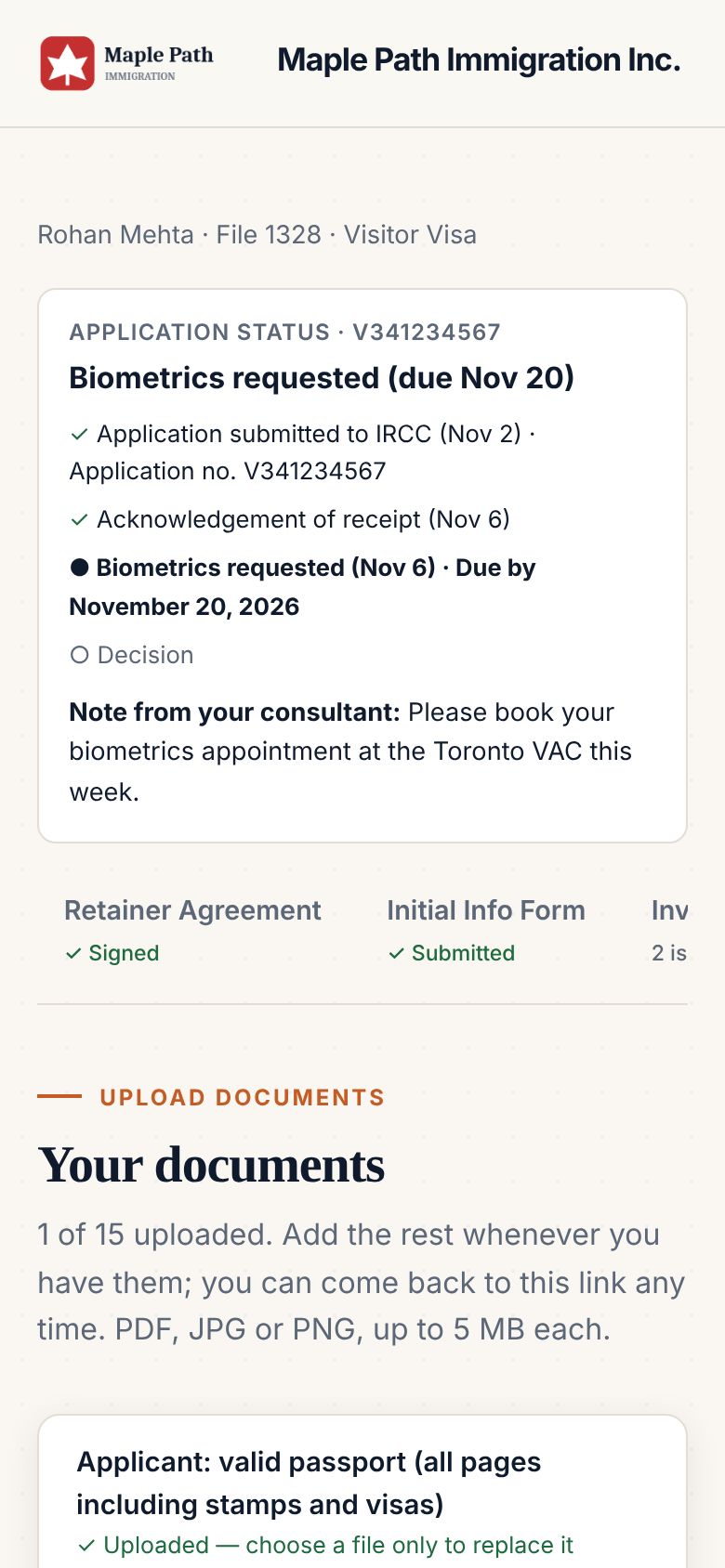
Clients can read it in their own language.
The portal switches between eight languages, including right-to-left Arabic. The retainer itself stays in English, the version they sign.
- English, French, Punjabi, Hindi, Spanish, Arabic, Tagalog and Simplified Chinese
- Picks up the client's browser language automatically
- Your staff screens stay in English
Common questions
Do clients need to create an account?
No. Each client gets a private link by email. There is no password to remember.
Does it work on a phone?
Yes. Clients can sign, fill in their form and upload photos of documents from their phone.
Where do the documents go?
They are attached to the lead in ImmPort and copied to the client's folder in your Microsoft OneDrive.
Everything else your firm runs on.
Your wording, filled in automatically, signed by the client and saved to their folder.
Learn more →Invoices & receiptsInvoices with the right taxGST, HST, QST or PST by province, sent on their dates, receipts numbered to match.
Learn more →IRCC formsIRCC forms, prefilledThe client's answers fill 15 IRCC forms, saved as drafts for you to review.
Learn more →Run your next file in ImmPort.
Start with a 14-day free trial. No card needed. We approve new firms within one business day.
Screenshots show example data